Grain Boundary (2D) in h-BN
1. Introduction
This tutorial creates a grain boundary in a hexagonal boron nitride (h-BN) monolayer and relaxes it with the MACE machine-learned force field, following the manuscript below.
Manuscript
Qiucheng Li, Xiaolong Zou, Mengxi Liu, Jingyu Sun, Yabo Gao, Yue Qi, Xiebo Zhou, Boris I. Yakobson, Yanfeng Zhang, and Zhongfan Liu, "Grain Boundary Structures and Electronic Properties of Hexagonal Boron Nitride on Cu(111)", Nano Lett. 2015, 15 (9), 5804-5810. DOI: 10.1021/acs.nanolett.5b01852. 1
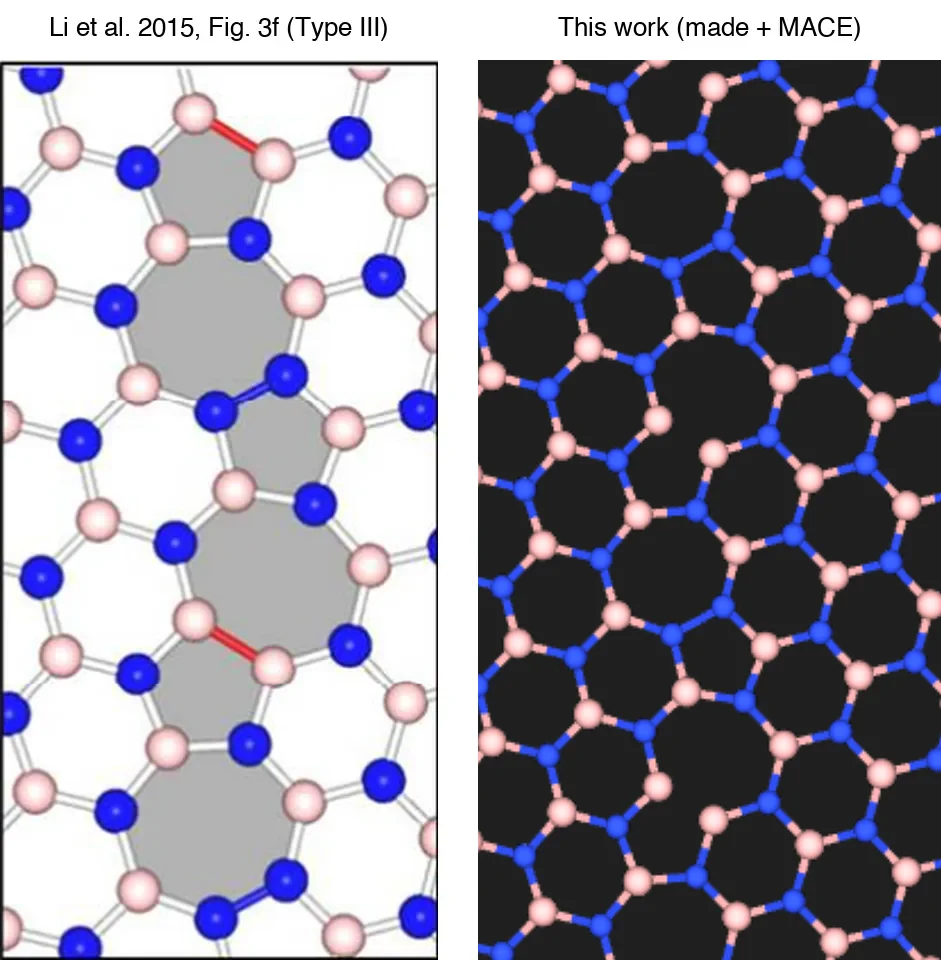
The notebook builds the Type III boundary of Figure 3f: a continuous chain of pentagons and heptagons (5|7), with B–B and N–N bonds alternating along it. The cell holds two such boundaries, as in the manuscript's calculation.
2. Open the Notebook
2.1. Open Materials Designer
Navigate to Materials Designer.
2.2. Launch JupyterLite Session
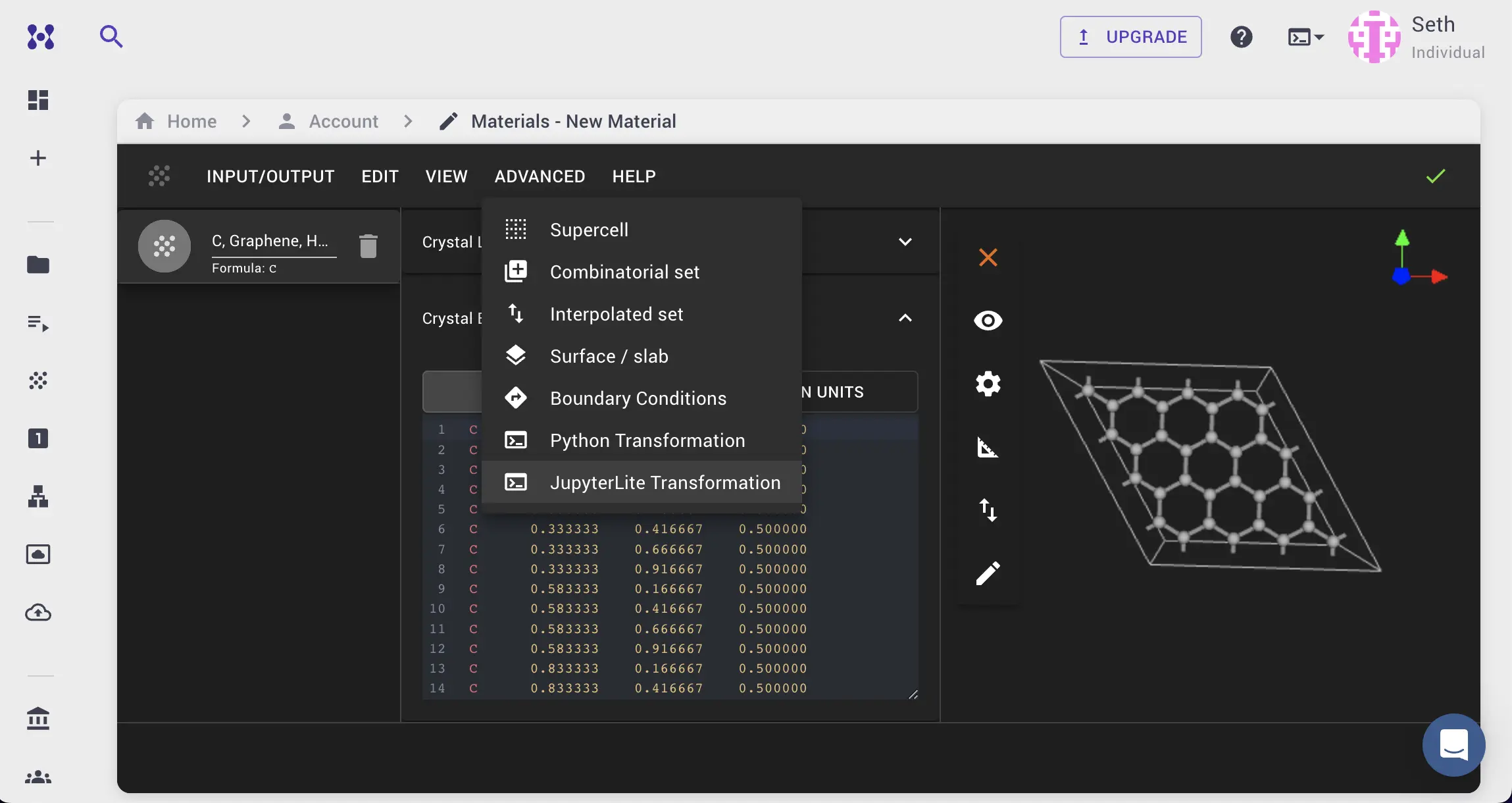
Select the "Advanced > JupyterLite Transformation" menu item to launch the JupyterLite environment.
2.3. Open defect_planar_grain_boundary_2d_boron_nitride.ipynb Notebook
Find and open the specific_examples/defect_planar_grain_boundary_2d_boron_nitride.ipynb notebook. It loads the h-BN monolayer (2dm-4991) from Standata.
3. Configure and Create Structure
3.1. Set Parameters
Cell 1.1 sets the parameters:
1 2 3 4 5 6 7 8 9 10 11 12 13 14 15 16 17 18 19 20 21 22 23 24 25 | |
Each grain is a supercell of the monolayer. The rows of GRAIN_1_SUPERCELL_MATRIX and GRAIN_2_SUPERCELL_MATRIX are its vectors across and along the boundary, written in the lattice basis of the monolayer. They put the lattice vectors (3, 1) of one grain and (1, 3) of the other, in the 60° basis of the literature, along the boundary: the (3,1)|(1,3) boundary of the manuscript at 32.2°.
3.2. Run the Notebook
Select "Run" > "Run All Cells".
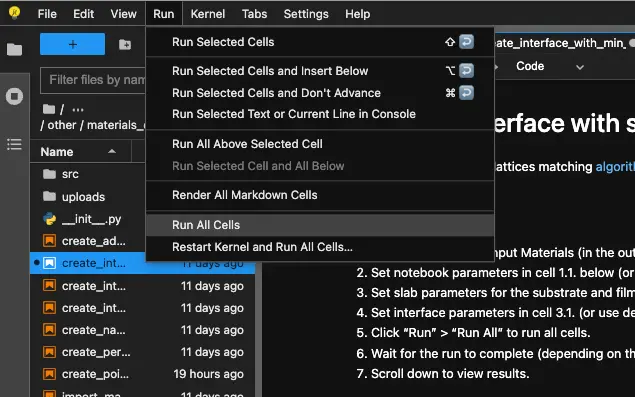
The notebook joins the two grains (section 3) and prints the number of atoms of each element and of B–B and N–N bonds. It then relaxes the atomic positions with MACE at fixed cell (section 4) and prints the energy change and the same counts again:
1 2 3 | |
3.3. Pass the Result to Materials Designer
The notebook passes the boundary as built and its relaxed version, h-BN 5-7 grain boundary and h-BN 5-7 grain boundary, MACE-relaxed, to the current Materials Designer environment.
4. Analyze the Structure
The cell is 62.7 × 9.05 Å with 208 atoms. Each of the two boundaries is a continuous 5-7 chain with one B–B and one N–N bond per period, as in the manuscript.
5. Save the Structure
In Materials Designer, the user can save the materials on the platform or download them in Material JSON or POSCAR format. The notebook also writes the relaxed boundary to the uploads folder; the simulation tutorial loads it by its name.
6. Interactive JupyterLite Notebook
The following JupyterLite notebook builds and relaxes the boundary. Select "Run" > "Run All Cells".
7. Parameter Fine-tuning
NUMBER_OF_PERIODS_ACROSS sets the width of each grain, and SLIDE_ALONG_BOUNDARY shifts the second grain along the boundary so that the two grains meet in the 5|7 pattern. FMAX is the force threshold of the relaxation, 0.01 eV/Å as in the manuscript.
8. References
-
Qiucheng Li, Xiaolong Zou, Mengxi Liu, Jingyu Sun, Yabo Gao, Yue Qi, Xiebo Zhou, Boris I. Yakobson, Yanfeng Zhang, and Zhongfan Liu. Grain boundary structures and electronic properties of hexagonal boron nitride on cu(111). Nano Letters, 15(9):5804–5810, 2015. URL: https://doi.org/10.1021/acs.nanolett.5b01852. ↩